Cybersecurity News: Signal Blocks Screenshots to Stop AI
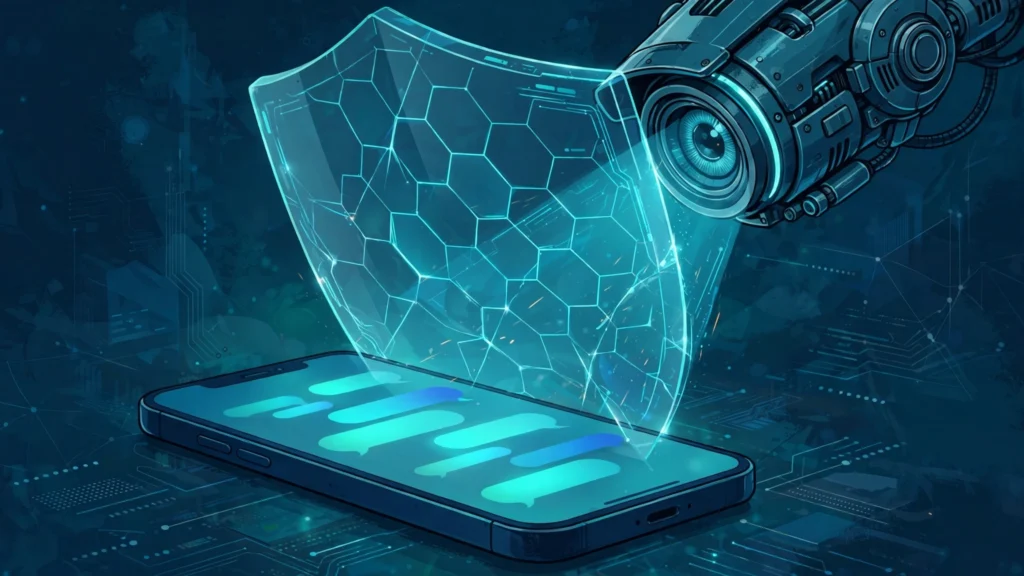
In the latest cybersecurity news, the encrypted messaging app Signal has started blocking screenshots inside its own app, on purpose and by default, in a direct challenge to the artificial intelligence assistants now built into every modern phone. The change, announced on Friday, November 20, 2026, by Signal president Meredith Whittaker, is aimed at the AI agents that read whatever is on a phone screen, including private chats that were never meant to leave the conversation. On iPhones running iOS 27, Signal now blocks screenshots and screen recordings inside the app. On Android, it switches on its screen security protection the moment it detects an AI assistant trying to read the screen.
The move is the most forceful step yet by a major messaging app against a problem that encryption alone cannot solve. Signal's end-to-end encryption still protects messages as they travel between devices, and nobody, including Signal itself, can read them in transit. But encryption stops mattering the moment a message is displayed, because the phone has to show readable text on the screen for its owner to read it. An assistant that can read the screen does not have to break the encryption to see the message. It can capture the same text the recipient sees, and send it somewhere Signal cannot control. That gap is what the new protection is built to close, and Signal is blunt that the fix is only partial.
What Signal Changed on iPhone
On the iPhone, the change centers on a new setting called "Block Siri AI," which is switched on by default. It is found in the app under Settings, then Privacy, then Block Siri AI, and it offers three choices: On, Off, and Off for 10 Minutes. The temporary option switches the protection back on automatically after ten minutes, which suits a quick screenshot. The setting requires Signal version 8.37 or later, running on iOS 27 or later.
With the protection switched on, Signal blocks screenshots and screen recordings inside the app. It also keeps Signal content out of the App Switcher, the view that shows a preview of every open app, and it blocks on-device assistants from reading the screen. If a user tries to take a screenshot, Signal shows a message saying the screenshot was prevented, with an Options button that offers to turn the protection off, turn it off for ten minutes, or leave it on. Signal asks the user to confirm before turning the protection off, because assistants may then be able to scan the content on screen.
The target on the iPhone is Apple's Siri AI, including its Onscreen Awareness feature, which is designed to look at what is on the display and use it to answer questions and carry out tasks. The assistant is built to help, and reading the screen is how it helps. But the byproduct is that chats meant to be private, including encrypted ones, can end up on a remote server outside the control of either the user or Signal. Whittaker's blog post puts the problem in stark terms, and Engadget reported that Signal views the AI agents built into phones as an existential threat, and is acting accordingly.
What Changed on Android
On Android, the approach is different, because the operating system gives Signal different tools. The app uses its existing "Screen security" setting, which has long been available as an option for users who wanted it. Now Signal switches that setting on automatically the first time it detects an AI assistant attempting to capture screen data. The change requires Signal version 8.35.1 or later, and it works on Android versions where Signal can detect an assistant trying to read the screen.
The main target on Android is Google's Gemini Intelligence, the assistant built into Android phones that, like Siri, reads the screen to understand context and answer questions. When Signal detects Gemini or another assistant attempting to capture the screen, it turns on screen security, which blocks screenshots and screen recordings and keeps the app's content out of the recent-apps preview. As on the iPhone, the user sees a prompt offering to turn the protection off, and Signal warns that doing so can expose the messages in the conversation.
The Android protection is reactive rather than always-on, and Signal is open about the reason. It can only detect assistant capture attempts on some Android versions, so the protection does not work the same way on every phone. Different manufacturers build their assistants differently, and the operating system does not give developers a standard way to know when an assistant is reading the screen. That inconsistency is part of a larger complaint Signal is making, and it is why the company is asking the operating system makers for a proper solution rather than trying to patch the problem app by app.
Why AI Assistants Can Read Your Chats
The reason the problem exists at all is a mismatch between two ideas of privacy. Encryption protects a message on its journey, from the sender's phone to the recipient's phone, and Signal's encryption has not failed. The new problem starts after the message arrives. For the recipient to read it, the phone must display it as ordinary readable text, and anything that can look at the screen can read it. Operating-system AI agents are designed to look at the screen. They scan what is displayed, pull in the information, and use it to answer questions, summarize conversations, and carry out tasks on the user's behalf.
That design made sense when assistants were simple voice helpers that answered questions about the weather. It makes less sense now that the same assistants are being woven into every part of the phone, with access to everything on the display. A chat that is encrypted end to end can still be read by an assistant that looks over the user's shoulder, digitally speaking, and the copy it makes can be stored in a local database or sent to a remote server. Signal says that once an assistant captures a message, the company has no control over how that copy is handled. The risk also spreads beyond the person whose phone is scanned: a message belongs to everyone in the conversation, and an assistant reading one person's screen exposes the other people's words too.
Signal's concerns are not limited to the assistants built into the operating system. The company is also worried about third-party agents that arrive with broad permissions granted during setup. Its blog post names Meta's Muse agent as an example, after Reuters reported earlier in the week that the agent was able to read Signal messages through permissions granted during setup. On Android, it read messages from notifications; on Mac, it used accessibility permissions, which Signal warns can be exploited as a skeleton key into other apps. The new screenshot protection does nothing about that route, and Signal says so plainly.
The Microsoft Recall Precedent
Signal has been here before. Last year, the company used screenshot blocking to prevent Microsoft's Recall feature from taking and storing screenshots of Signal messages on Windows 11, switching the protection on by default in its desktop app. Recall is a Windows feature that periodically captures screenshots of whatever is on the screen, extracts the text with optical character recognition, and builds a searchable on-device database of everything the user has seen. Signal described it at the time as a direct threat to the privacy of its users, and the screenshot block was its answer.
The mobile case is arguably harder than Recall. Recall was a single, identifiable feature from one company, on one operating system. The new problem is a family of assistants, built by different vendors, that behave differently on different devices and different versions of the same operating system. Signal's answer is the same technique in each case, blocking the screen capture, but the company acknowledges that the technique reaches only one route into the chats.
What the Protection Cannot Do
Signal is unusually candid about the limits of its own fix, and the limits are significant. Blocking screenshots stops one route into a user's chats. It does not stop an agent from reaching content already stored on the device through filesystem access. It does not stop a third-party agent that arrives with broad permissions granted during setup, including accessibility permissions that let it interact with other apps. It does not stop an agent from reading notifications, where message previews can appear. And it does not help at all if the other person in a conversation has switched the protection off, because an assistant reading their screen can capture the same messages from their end.
On macOS, the protection does not exist at all. Signal says it lacks the tools to block screenshots reliably on the Mac, and instead tells users to add Signal to the excluded-apps list under System Settings, then Siri, so the assistant cannot read it. The Electronic Frontier Foundation points to a separate option on iOS 27.2, where users can open Settings, then Siri, then Excluded Apps, and add Signal to block Siri's access, including its on-screen awareness. These are workarounds, not solutions, and Signal presents them as such.
The company also warns that turning the protection off has consequences beyond the person who turns it off. Users who want the ability to take screenshots can disable the protection in the Signal app's settings. Doing so, Signal says, will potentially expose their own content and their contacts' content to the AI agents, and break the privacy guarantees the app is built on. The warning is deliberate. Signal's promise has always been that a conversation belongs to the people in it, and the company wants users to understand that a screenshot is no longer a private act when an assistant is watching the screen.
What Signal Wants from Apple, Google and Microsoft
The second half of the announcement is a demand, aimed at Apple, Google, and Microsoft. Signal wants documented, reliable ways for developers to opt out of AI access to their apps' content, covering screens, files, and notifications, without having to disable ordinary features such as screenshots. At present, the operating system makers do not offer a way for developers to restrict AI access in that form. Signal says it is talking with Apple and Google about the problem and is cautiously optimistic about where those conversations are headed.
The request matters beyond Signal. Every app that handles private information faces the same problem: a health app, a banking app, a notes app, or a work chat app all display sensitive content on the screen, and all of it can be read by an assistant that scans the display. If the operating systems offered a standard opt-out, every developer could use it, and users would not have to rely on each app inventing its own defense. Without one, the result is a patchwork of partial fixes, each with its own gaps.
What Happens Next
For Signal users, the change is already live. iPhone users on iOS 27 with the latest version of the app will find screenshots blocked by default, with the new Block Siri AI setting switched on. Android users will see screen security switch on automatically the first time an assistant tries to capture the screen. Users who need to take a screenshot can turn the protection off, temporarily or permanently, but Signal's warning is clear: doing so may expose the conversation to the assistants the block was built to stop.
The wider question is whether Apple, Google, and Microsoft will build the opt-out Signal is asking for. The company says its conversations with Apple and Google are continuing, and that it is cautiously optimistic. If a standard arrives, it would change the balance for every app that handles private data, giving developers a simple way to keep AI agents out of their screens. If it does not, the patchwork will continue, and each new assistant feature will create a new gap for apps to plug on their own.
The episode is also a reminder of how quickly the privacy landscape has shifted. A year ago, the fight was about a single Windows feature taking screenshots every few seconds. Now the same fight covers the assistants built into every phone, the agents that arrive with broad permissions, and the notifications that preview messages before they are even opened. Signal's answer, blocking the screen, is a small technical change with a large message behind it: encryption was never the whole of privacy, and the screen is now the front line.
Source: Mashable